morphe-download-helper


Morphe Download Helper is an unofficial Android helper that finds the original APK
Morphe Manager needs, verifies that it matches
the requested package/version/build, and hands it back through Morphe's open
DOWNLOAD_ORIGINAL_APK intent contract.
It is a downloader, not a patcher. It never installs, modifies, or uploads an app on its own.
Unofficial: this project is not affiliated with, endorsed by, or maintained by the Morphe project. Morphe ships no helper of its own and does not endorse any helper.
- Exact-build matching. The helper validates package name, version name, version code, ABI, and archive type before handing a file to Morphe.
- Many sources, one flow. Morphe's resolver link, APKMirror, APKPure, APKCube, Uptodown, F-Droid, Aptoide, Appteka, and GitHub releases are tried in your chosen order.
- Patch discovery. Search an app on the Patches tab to see which community patch sources support it, then add one through Morphe's own confirmation.
- Fast source resolution. Parallel metadata checks, APKCube no-match preflight, APKPure endpoint racing, and a short-lived not-found cache cut the usual waiting.
- Repeat requests are instant. An exact repeat request is served from the helper's validated local cache after rechecking package/version/build.
- Fast large downloads. Multi-connection downloading is on by default for compatible servers and files of 5 MB or more.
- Transparent failures. Every source shows a status, a reason, and how long it took.
- Private by default. No analytics, no accounts, and logs stay on your device.
Download
Grab one of the two current builds from the Releases page:
3.2.1 is the latest stable release. It keeps the 3.2.0 icons, patch details, and French UI, and fixes the slow-scroll header glitch, Share log, and APKMirror verification.
Important: one-time reinstall for 3.3.0. Builds before 3.3.0-rc.3 were signed with temporary CI debug keys. Export your settings, uninstall the helper once, then install 3.3.0-rc.3 or the first 3.3.0 stable release. Full instructions: SIGNING.md.
| Build | Launcher icon | Best for |
|---|---|---|
Icon - MorpheDownloadHelper-v3.2.1-universal.apk |
Always shown | Normal use. The icon appears immediately after installation. There is no hide toggle. |
No-icon - MorpheDownloadHelper-v3.2.1-universal-noicon.apk |
Never shown | A clean app drawer. Open the helper from Morphe or Android Settings → Apps → Morphe Download Helper → Open. |
Both builds have the same package name, version, signing key, and features. Install one or the other, not both. The in-app updater stays on the build you installed. When switching from the icon build to the no-icon build, do a fresh install or remove the old home-screen shortcut if your launcher keeps it.
Release APKs are signed with the Android debug key so they can be sideloaded, and the release build is non-debuggable. A proper release keystore can be added later for Play Store-style signing continuity.
Screenshots
| Home | Downloads | Settings |
|---|---|---|
 |
 |
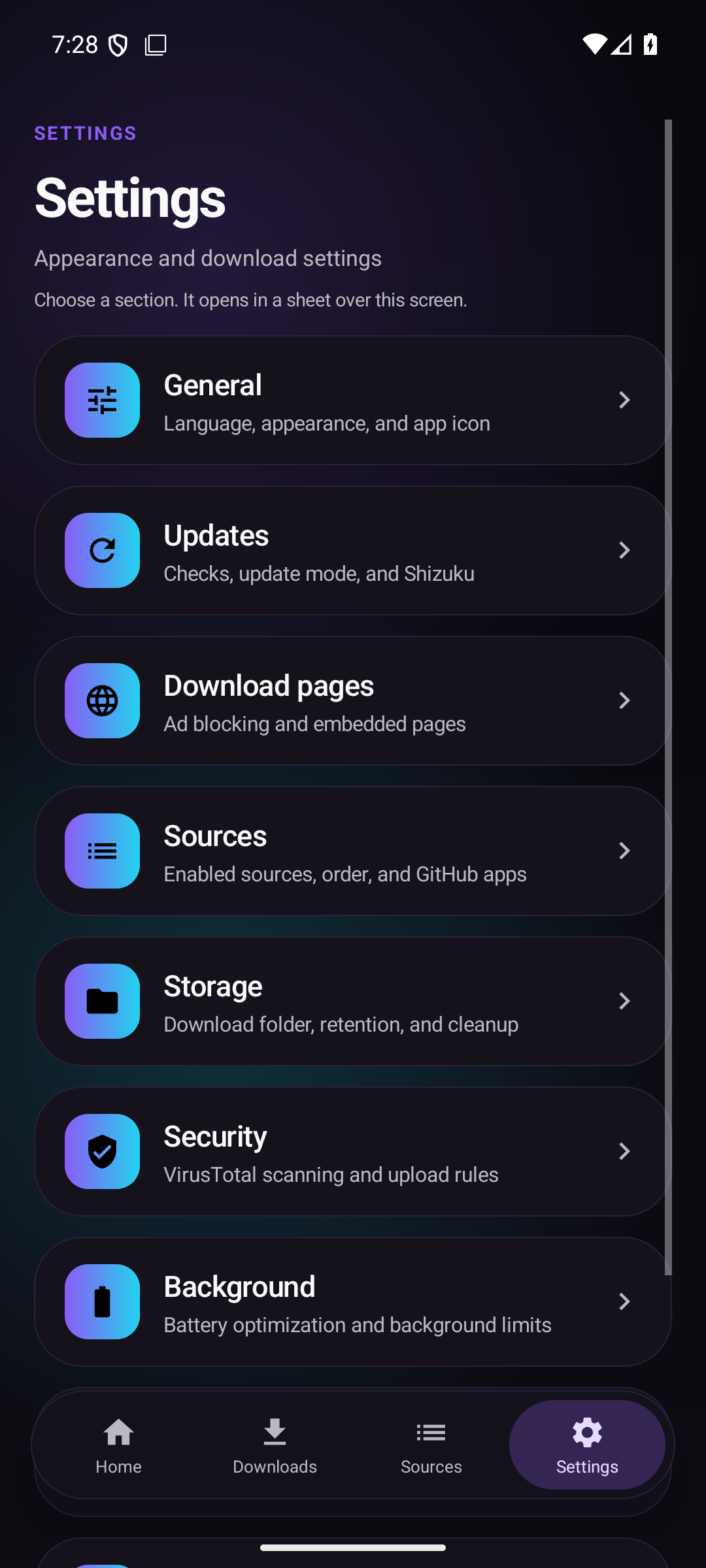 |
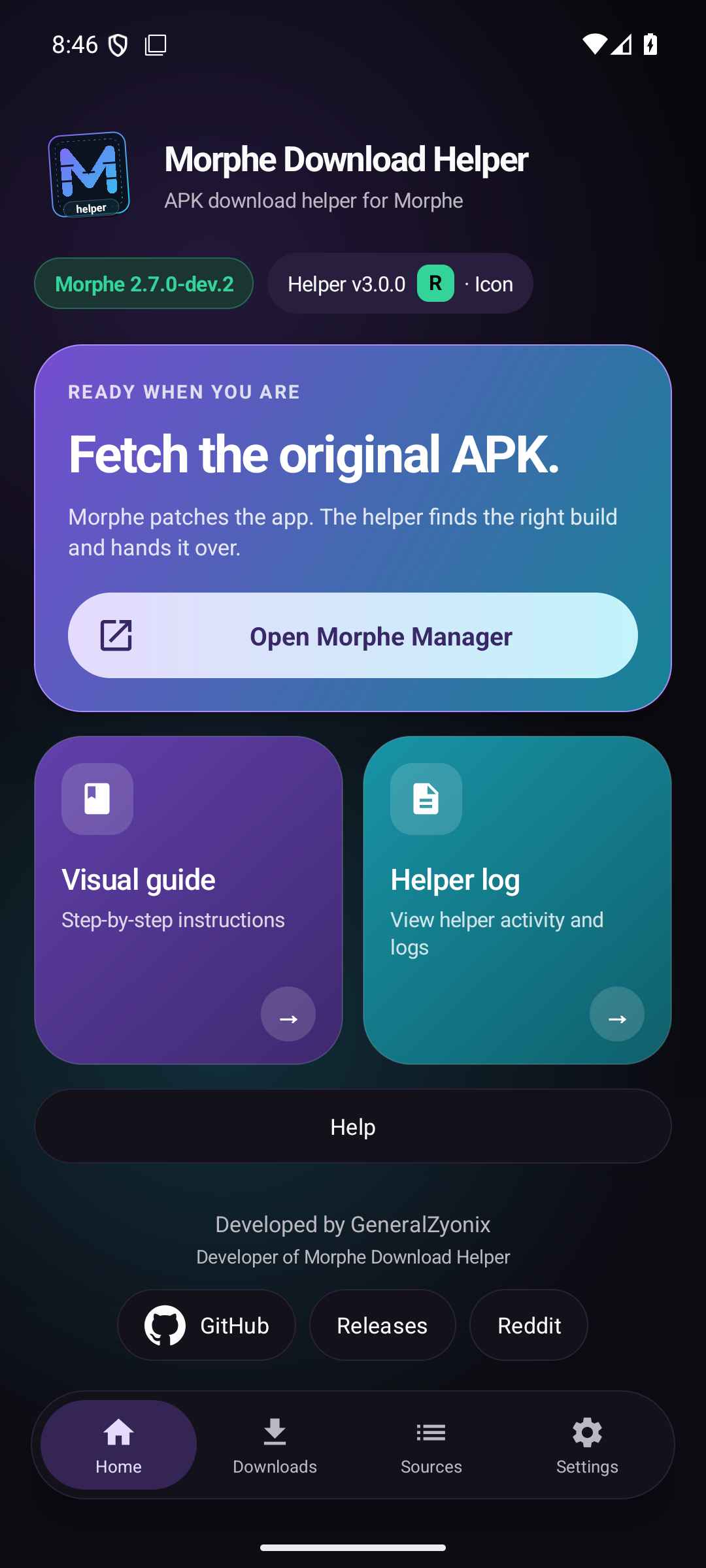
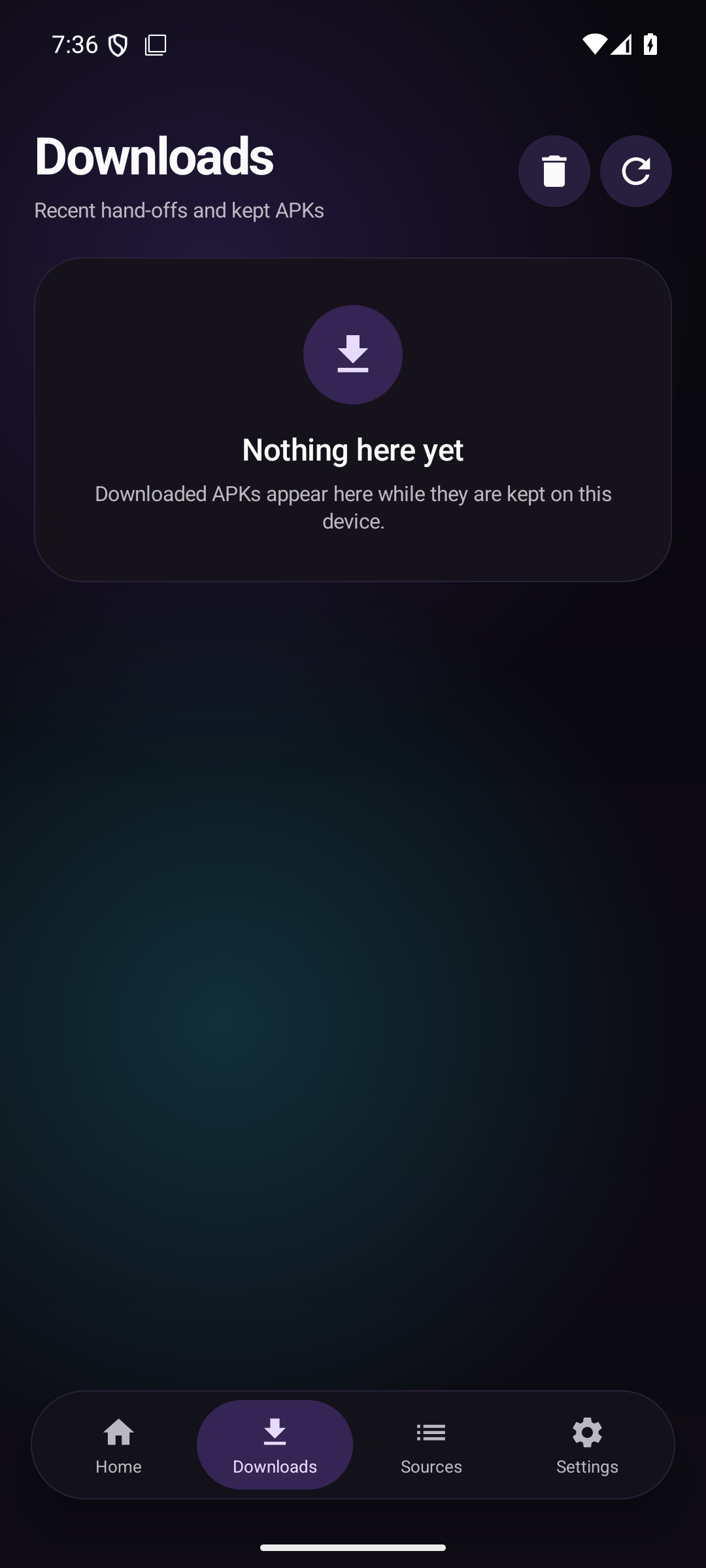
See the settings guide with screenshots for every section and what each option does. The Patches tab guide explains community source discovery and its network requirements.
Setup
New to the helper? Follow the illustrated setup guide. In short:
- Install the icon or no-icon APK.
- Open Morphe → Settings → Files → APK download helper.
- Turn on Morphe Download Helper and confirm Trust.
- Optionally enable Open helper right away.
- Pick an app in Morphe and choose Help me find an APK or Use a helper app.
The in-app Visual guide and Help buttons repeat these steps with screenshots.
How it works
- Morphe sends the package, version, version codes, file type, ABIs, and fallback link to the helper.
- The helper checks its validated local cache for an exact repeat request.
- Otherwise it follows the enabled sources in your order. With Fast source checks on, HTTP/API metadata is prefetched and the APKPure/Uptodown/APKCube paths are prepared in parallel.
- The first source that produces a valid file wins. Split requests use
.xapk,.apks, or.apkmbundles and are never replaced with a standalonebase.apk. - The downloaded file is checked against the request. GitHub releases additionally get a signature check when the app is installed.
- The helper returns a
content://URI to Morphe and optionally saves a copy inDownloads/Morphe Helper.
Sources
The order is configurable in Settings → Sources. The default is:
| # | Source | What it does |
|---|---|---|
| 1 | Morphe link | Follows the exact resolver/fallback link supplied by Morphe. |
| 2 | APKMirror | Searches by package, verifies the Play package, and selects the requested version/ABI. |
| 3 | APKPure | Uses the exact versionCode API and direct endpoints; supports APK/XAPK/APKS/APKM. |
| 4 | APKCube | Catalogue search with a background no-match preflight and an in-app verification fallback. |
| 5 | Uptodown | Mobile API with exact versions and SHA-256; falls back to the in-app verification page. |
| 6 | F-Droid | Package API; only apps hosted by F-Droid. |
| 7 | Aptoide | API search; only uploads marked TRUSTED. |
| 8 | Appteka | Exact version/code; SnapTube only by default and marked hazardous. |
| 9 | GitHub releases | Resolver links and remembered/pinned repositories first; automatic search is the final fallback. |
WebView verification is used only when a site requires a browser check. If a page fails or times out, the helper marks that source failed and continues with the next one.
GitHub behavior
- A resolver-supplied GitHub release is used immediately.
- Remembered and pinned repositories are tried even when Morphe supplies no version.
- Automatic GitHub search needs a version. Without one, the GitHub row/report shows SKIPPED — No version supplied for automatic search instead of looking untried.
- GitHub search looks for the package name in READMEs and the app name in repository names,
so renamed repositories are still found. Release assets named
ARMv8/ARMv7/ARM64/x86_64/universalare scored for the device ABI.
Features
- Exact-build APK validation before hand-off.
- APK, APKM, APKS, and XAPK support when Morphe allows split archives.
- Fast source checks (on by default): APKPure/Uptodown/APKMirror/F-Droid/Aptoide metadata prefetch, APKCube no-match preflight, APKPure API/direct race, and APKMirror early rejection.
- Short-lived negative cache for definitive “not found” results; transient network errors are never cached, and retry actions bypass it.
- Validated local-cache fast path for exact repeat requests.
- Multi-connection downloads for large files on servers that support HTTP Range; APKMirror stays single-stream.
- Per-source status, reason, and timing in the final report.
- Two launcher builds: icon and no-icon.
- Optional
helper-settings.txt, created and deleted only from Settings → Backup. - Optional VirusTotal hash check before hand-off; uploads are separate opt-ins.
- Theme options: Dark, AMOLED, Light, System, 11 color accents, a custom color scheme, and Material You accent on Android 12+.
- French translation included; the app language can follow the system or be set in Settings.
- Built-in update checker with a changelog screen and optional Shizuku silent install.
- Report on GitHub with short/full log options and automatic redaction of signed URLs and tokens.
Settings
The full illustrated reference is in docs/SETTINGS.md. Quick map:
- General — app language and the installed launcher variant.
- Appearance — theme mode, accent, custom scheme, surface tinting, navigation bar order, and reset.
- Updates — automatic checks, update mode, in-app popup, and a manual check.
- WebView settings — ad/tracker blocking and optional live AdGuard host checks.
- Sources - the single source editor: enable/disable, reorder, reset, per-source Test, and Test all with detailed results. Settings → Sources keeps Fast source checks, the Appteka warning, and GitHub apps.
- Storage — download folder, retention, multi-connection downloads, maximum connections, and deleting all downloaded APKs.
- Security — optional VirusTotal API key, detection action, upload rules, and quota behavior.
- Background — battery-optimization exemption for reliable background checks.
- Backup — export/import configuration, plus optional creation or deletion of
helper-settings.txt.
Privacy and security
- No analytics, telemetry, accounts, or automatic uploads.
- The diagnostic log stays in app-specific storage and is only shared when you tap Share log, Save log, Copy log, or Report on GitHub.
- Signed download URLs and tokens are redacted from GitHub reports.
- Downloads go directly from the APK source to the device.
- The optional VirusTotal check only runs after you enable it and add an API key. Uploads are separately opt-in and share the APK with VirusTotal.
- The helper never installs an APK and never patches an app. Morphe performs the final package/version/signature checks and patching.
Limitations
- APKMirror, APKPure, APKCube, and Uptodown can require Cloudflare/Turnstile verification. The helper shows the page when needed; a changed site layout can still break a source.
- Automatic GitHub search requires a version. Without one, remembered/pinned repos are still tried but a broad automatic search is skipped.
- Custom icon-pack artwork for uninstalled apps is a One UI/Android limitation. The helper uses the source page icon or the APK's own icon instead.
- Android 10+ cannot show a launcher icon immediately after install and hide it cleanly later in the same package. Use the icon or no-icon build.
- APK site terms of service still apply. Only download apps you are allowed to access.
- Paid apps cannot be fetched unless the source publicly provides the file.
Build
Requirements:
- JDK 21
- Android SDK Platform 35
- Gradle 8.9 (the included wrapper handles this)
Set sdk.dir in local.properties (or ANDROID_HOME), then:
./gradlew :app:assembleIconDebug :app:assembleNoiconDebug
On Windows:
.\gradlew.bat :app:assembleIconDebug :app:assembleNoiconDebug
Release builds:
./gradlew :app:assembleIconRelease :app:assembleNoiconRelease
Debug APKs:
app/build/outputs/apk/icon/debug/app-icon-debug.apk
app/build/outputs/apk/noicon/debug/app-noicon-debug.apk
Install
# icon build
adb install -r app/build/outputs/apk/icon/debug/app-icon-debug.apk

# no-icon build
adb install -r app/build/outputs/apk/noicon/debug/app-noicon-debug.apk
Then open Morphe → Settings → Files → APK download helper, trust the helper, and optionally enable Open helper right away.
Project layout
app/src/main/java/be/alterra/morphehelper/
  DownloadActivity.java       request flow, sources, WebView fallbacks, downloads
  MorphePreviewActivity.java  main Morphe shell, tabs, and log actions
  SettingsActivity.java       settings, sources, backup, and permissions
  AppearanceActivity.java     theme and accent controls
  GitHubReleaseResolver.java  GitHub search and asset selection
  DownloadCache.java          validated repeat-request cache
  SourceNegativeCache.java    short-lived definite not-found cache
  PublicSettings.java         optional helper-settings.txt
  DownloadedFileValidator.java package/version/ABI validation
docs/
  SETTINGS.md                 illustrated settings reference
  screenshots/                current screenshots
  guide/                      Morphe setup screenshots
  branding/                   README banner and source assets
GUIDE.md                      illustrated Morphe setup guide
Contributing
Issues and pull requests are welcome. Please keep source parsers small and well commented, and test changes against a real Morphe request before opening a PR.
Please include the helper version, Android version/device, Morphe version, the app/version being patched, and the helper log when possible. Open the helper and use Report on GitHub or Share log.
Tests
./gradlew :app:testIconDebugUnitTest :app:testNoiconDebugUnitTest
./gradlew :app:connectedIconDebugAndroidTest :app:connectedNoiconDebugAndroidTest
Translations
| Language | Code | Strings |
|---|---|---|
| English | en |
values/strings.xml |
| French | fr |
values-fr/strings.xml |
| Dutch | nl |
values-nl/strings.xml |
Want to add a language? See TRANSLATING.md. New languages appear automatically in Settings → App language after their locale is added to locales_config.xml.
Changelog
See CHANGELOG.md for release notes.
License
MIT — see LICENSE.
Disclaimer
Morphe Download Helper is an independent community project. It is not affiliated with, endorsed by, or maintained by the Morphe project or any APK site. Use it responsibly and only download apps you are allowed to access.